
A geometry diagram on a screen is one thing. That same diagram engraved into metal by a student's own hands is something else entirely.
Abstract concepts become real the moment they can be touched. That's not a teaching philosophy — it's a simple fact about how understanding works. The xTool F1 Ultra is a tool built around that fact.
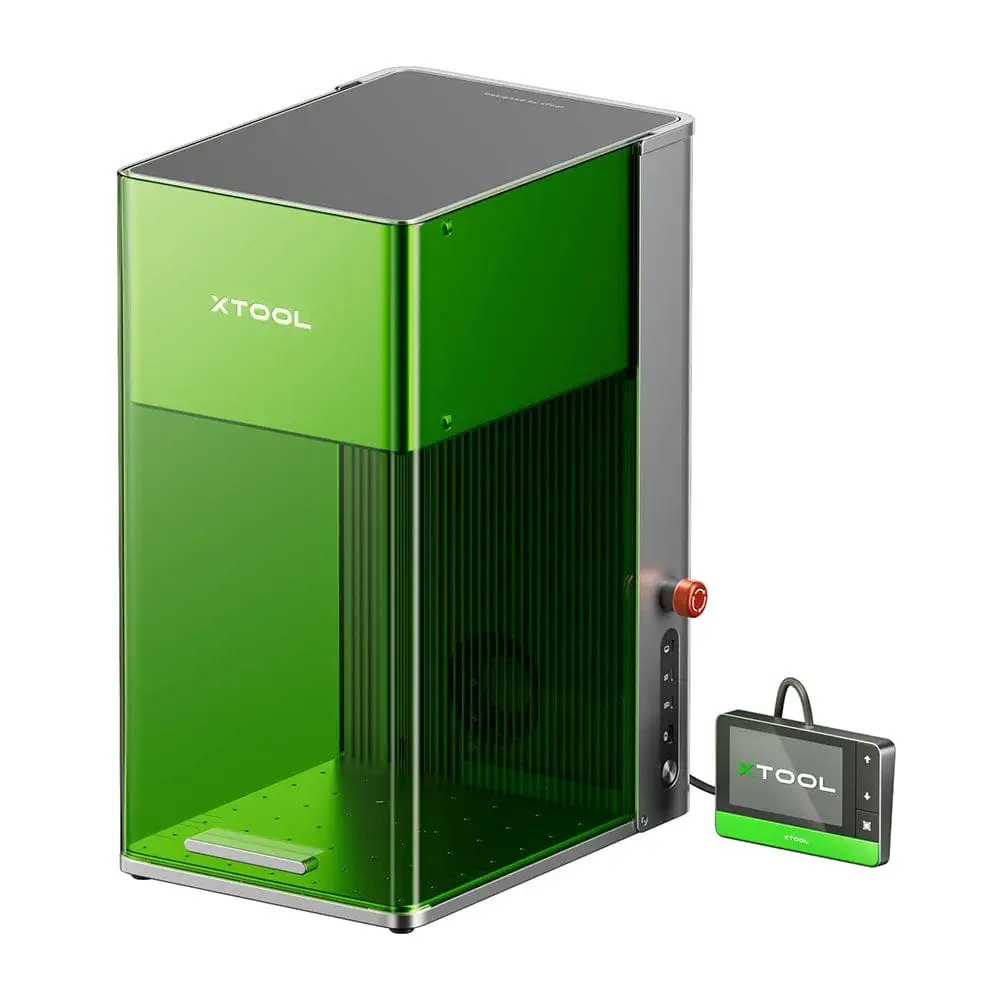
This is not simply “more power” — it is two different physical principles, two different families of materials, two different worlds operating from the same desk. In a STEM classroom, that means material science in the morning and organic surface work in the afternoon, on the same machine, the same day. It is the kind of range that recalls Victorian ornamental turning — another era when precision machinery and artistry shared the same table.
Two lasers — two worlds
Fiber Laser
20W
Deep engraving, embossing, thin metal cutting. Cuts 0.4mm brass, 0.3mm stainless steel. Spot size: 0.03 × 0.03mm.
Diode Laser
20W
Cuts up to 15mm wood and 12mm acrylic. High-quality surface engraving on organic and composite materials.
10,000mm/s
Engraving speed
220×220mm
Work area — largest in class
0.03mm
Fiber spot size
7GB
Internal storage
No waiting. No frustration. The student designs something, and five minutes later holds it. That momentum is everything.
10,000 mm/s speed matters not just as a specification — it matters because a student who designs something and holds the finished object five minutes later stays engaged in a way that a student who waits days never quite does. In project-based learning, momentum is the curriculum. Richard Feynman understood this: the Feynman technique works because it forces you to produce, not just consume. The F1 Ultra applies the same logic in three dimensions.
The 220 × 220mm work area — the largest of any desktop fiber laser on the market — means group projects fit. Multiple students working on different components of the same surface, the same session. When Euclid's propositions can be engraved at 1:1 scale onto a real surface, geometry stops being abstract.
What students actually build
Physics & Engineering
Circuit boards & prototypes
Engrave precise circuit diagrams onto real materials. Fabricate custom parts for engineering projects that go beyond paper.
Chemistry & Materials
Material science in action
Work across metals, organics, and composites in a single session. The periodic table stops being a wall chart.
Design & Art
3D curve engraving
Engrave on curved surfaces — rings, cylinders, custom objects. Geometry becomes something you make, not just study.
Computer Science
Digital to physical
Import SVG, DXF, PNG files directly. The path from screen to object becomes short enough to feel like one step.
In the field
At MIT's "How to Make (Almost) Anything" course, a student used the F1 Ultra to engrave circuit boards for microscopic QFN and BGA electronic components.
Student Brian Huang created microscopic art samples for a "nanopoems" project — pushing the boundary between precision engineering and creative work.
At FAB25, participants used the F1 Ultra to craft custom tiles assembled into a programmable robotic sculpture — blending cultural heritage with hands-on STEAM learning.
The F1 Ultra is listed in MIT Center for Bits and Atoms' official tool inventory, validating its research-grade performance for next-generation digital fabrication.
Built for classrooms
The enclosed casing and built-in airflow system make safe classroom use straightforward. The Education package includes the AP2 air purifier — no external venting required. Works in basement makerspaces, corner labs, anywhere. The touchscreen control panel and 7GB of internal storage mean students can run projects without a connected computer, which simplifies classroom management considerably.
Tools in STEM education come and go. Most are either too simple — students outgrow them in a semester — or too complex — teachers never quite feel confident with them. The F1 Ultra avoids both. It doesn't hide its power, but it doesn't overwhelm you with it either.
In the end, the question a STEM classroom needs to answer every day is a simple one: what did students make today? With the F1 Ultra in the room, the answer is always something real.
In short
Dual lasers, research-grade precision, and a design calm enough for daily classroom use. The F1 Ultra doesn't just belong in a makerspace — it changes what a makerspace can be.
xTool — F1 Ultra — 20W Fiber & 20W Diode Dual Laser Engraver
xTool · abakcus.com